
Introduction #
his document explains the “Wizards” feature in the Signatus application and the JavaScript/HTML capabilities used to build them.
Wizards are small plug-ins that run inside the Signatus app. They let you extend and tailor Signatus without modifying the core application, for example by customizing workflows or even adjusting parts of the user interface.
Wizards interact with Signatus through API calls that trigger specific Signatus functions. This document lists and describes all Wizard SDK JavaScript API calls available in the development framework.
The document is structured into two parts:
- Introduction and setup — what a wizard is and how to create one.
- API reference — a detailed guide to the JavaScript API calls provided by the Wizard SDK.
1. What is a Wizard #
Here is a clearer, more structured rewrite of that section, optimized for technical readers but easy to understand:
Wizards allow you to customize the Signatus screen flow for a single document or for multiple documents. They can be used to tailor the application’s look and feel, control signature and data capture steps, and implement custom business logic, data validation, and security rules.
Using wizards, you can orchestrate complex workflows that run before and after one or more documents are signed. Because a wizard runs inside a full-screen web view, it offers extensive flexibility. For example, a wizard can retrieve additional data from external systems via AJAX, use JavaScript libraries such as jQuery, or dynamically adjust the user interface during the process.
Technically, a wizard is delivered as a ZIP package that contains a set of files (HTML, JavaScript, CSS, images, and others), rather than a single PDF document for signing.
For security reasons, all file operations are executed within a sandboxed local workspace, which is typically encrypted. This workspace exists only for the duration of the wizard execution and is automatically deleted once the final output package is created and successfully distributed.
Example wizard #
The easiest way to understand how wizards work and what they can do is to review the provided examples.
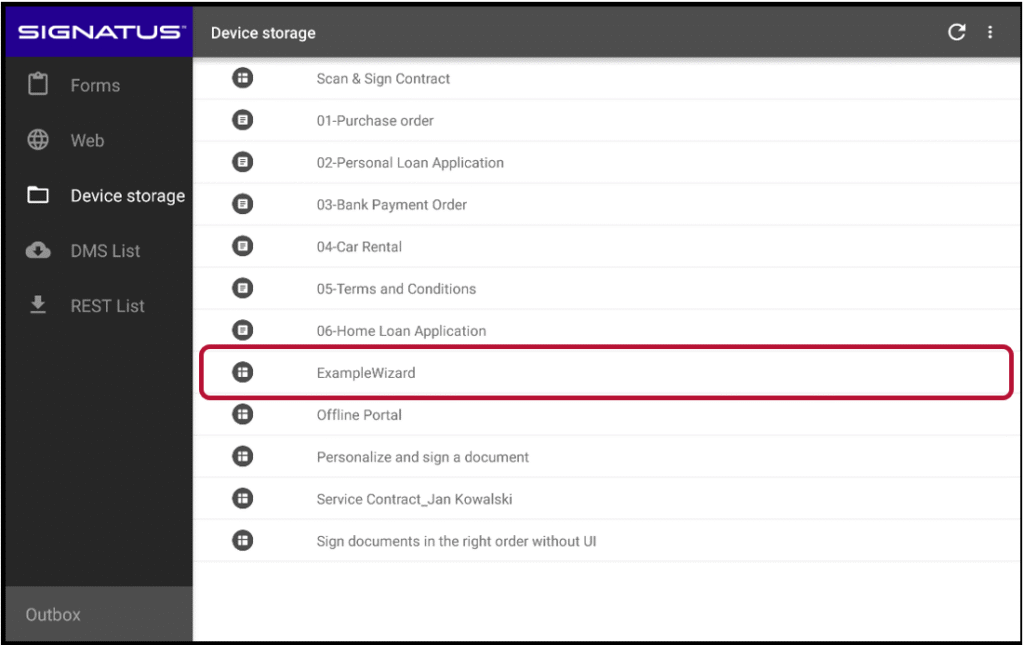
As described above, a wizard is delivered as a ZIP file. One way to start a wizard is by selecting it from the list of documents available for signing, just like opening a standard document in Signatus.
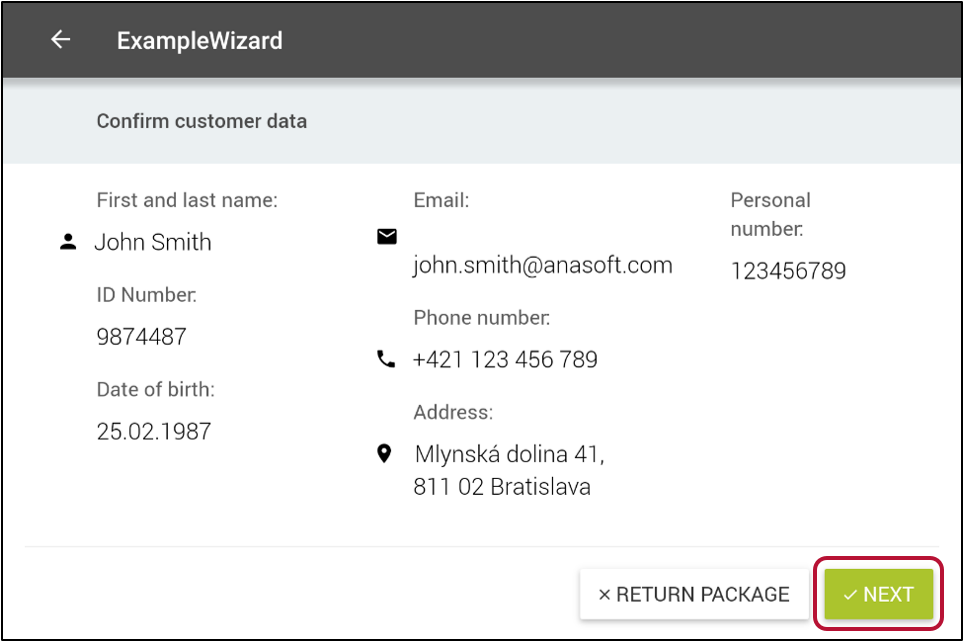
In the first step of the workflow, the wizard presents the customer’s data for review. The operator must approve the data before moving to the next step.
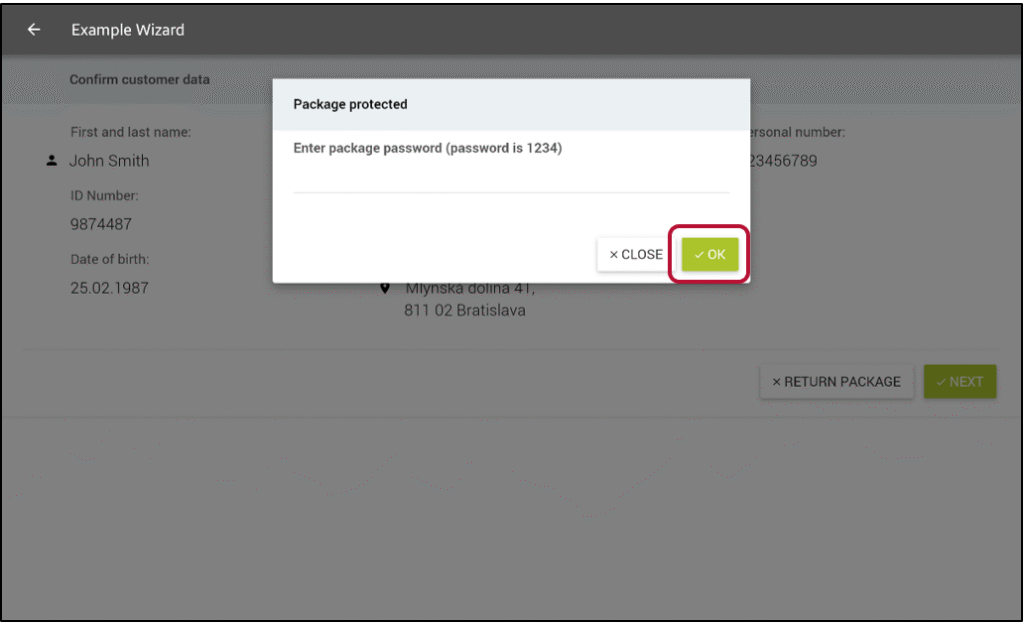
The package is protected by a password known only to the customer. The password must be entered to continue.
As a next step in a workflow the following 3 tasks should be completed. Tasks marked with orange are optional, tasks marked with red are mandatory.
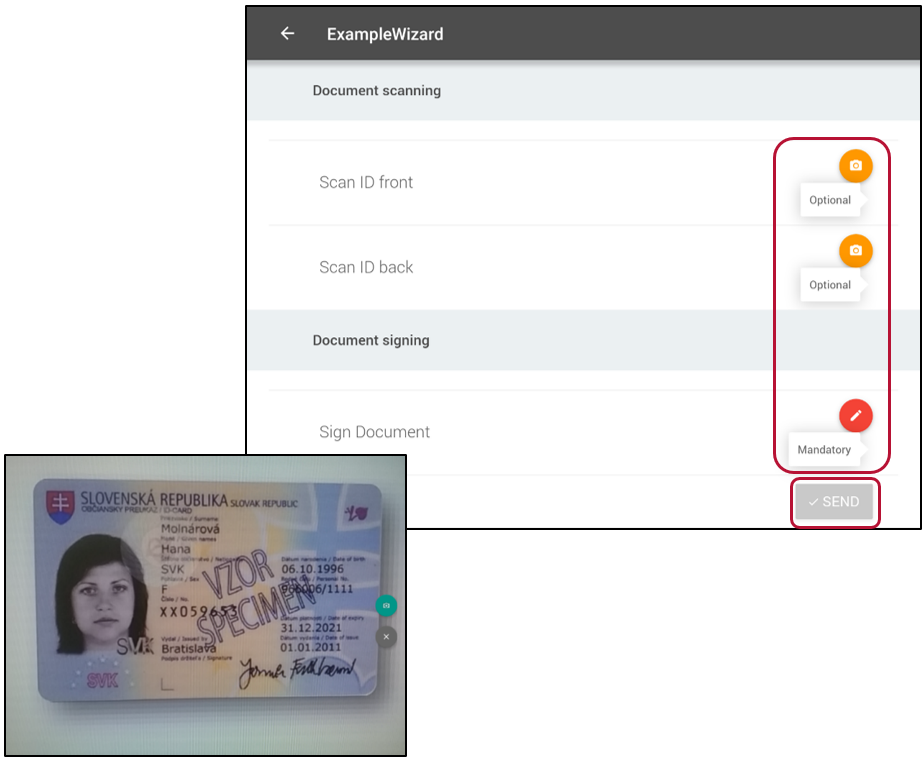
Once scanning is completed and the document has been signed, all files are packaged together and distributed through one of the delivery channels configured in the Signatus application settings. The distribution process is identical to submitting a signed PDF outside of a wizard (see Submitting signed document in the SIGNATUS User Guide).
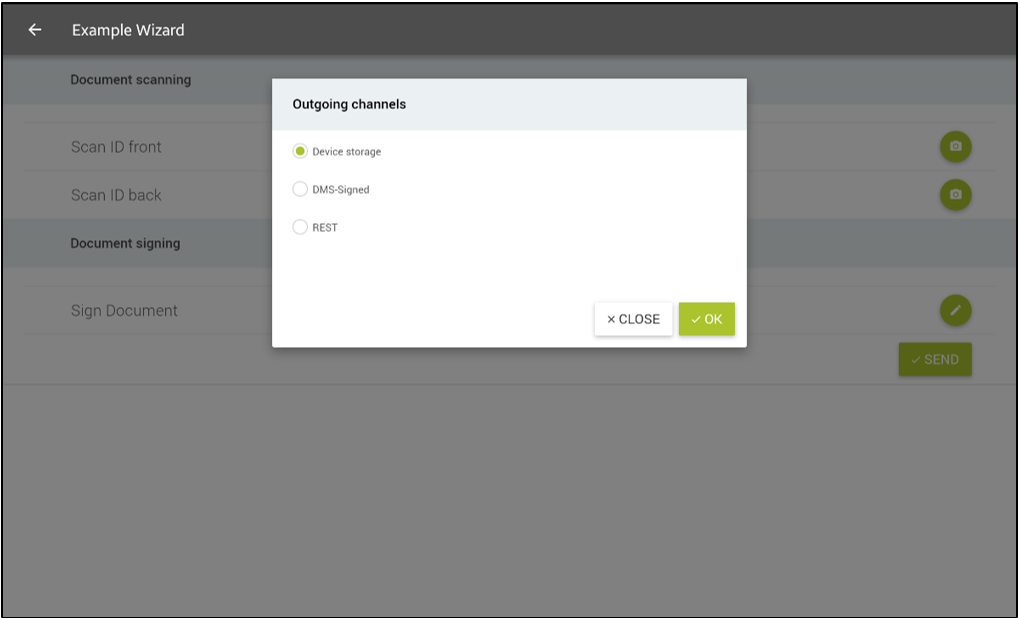
Wizards can be created and tailored to suit different use cases.
Wizard file structure #
A wizard is delivered as a ZIP package that can contain any number and type of files. Signatus recognizes the following files within the package:
- index.html (required)
- public.der (optional)
- Additional files (optional) — e.g., CSS, JavaScript libraries, images, and other resources
index.html #
index.html is the entry point of the wizard. It is the first file loaded in the embedded web view when the wizard starts, and it must be included in the ZIP package. The file can reference other resources either locally (inside the ZIP) or remotely.
Below is a minimal index.html example that simply returns control to Signatus when the user clicks a link (note that SDK.js must be included).
<html>
	<head>
		<meta http-equiv="Content-Type" content="text/html; charset=UTF-8">
		<title>TEST</title>
		<base href="./"></base>
		 <script type="text/javascript" src="file:///android_asset/js/SDK.js"></script>
	</head>
	<body>
		<a href="javascript:cancel({})">Close</a>
	</body>
</html>
public.der #
When the public.der file is included in the wizard package, it is used to encrypt biometric signature data captured during the signing process.
Other files #
The ZIP package may also contain any additional files required by the HTML wizard, such as images, JavaScript libraries, CSS stylesheets, or other supporting resources.